Part VI · Monitor and beyond
The downloadable grow log: record your season to grow better
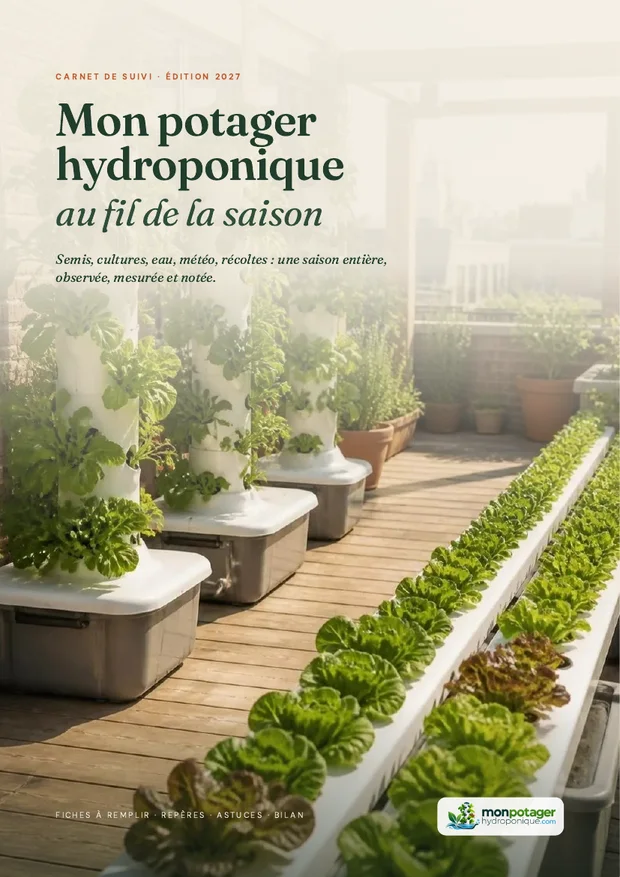
Free for members, as a 118-page PDF to print or to fill in online in your account: setup, calendar, seeds, sowings, crop guides, pH and EC tracking, a chart to plot, weather, harvests, equipment, costs, journal and season review. What a grow log is for in hydroponics, what it contains and how to use it without spending your evenings on it.
“How much nutrient did I add last time?” “When did I sow this lettuce?” Without a log, every season starts from scratch. With a log, it builds on the one before. We have put together a 118-page grow log, to print and fill in, free for all members of the site.
1. What is a grow log for?
In hydroponics, everything moves fast: a drifting pH, a pump that stops, a heat wave, and the plant shows it within hours or days. Memory is not enough to connect a yellow leaf to the solution you changed ten days earlier. The log helps you see what really happens in your setup:
- Understand a problem: when something goes wrong, your readings from the previous days often tell you why. See diagnosing problems.
- Know what is normal for your setup: water use, how fast the pH drifts, the solution temperature in summer. What you write down “when everything is fine” becomes your baseline.
- Repeat what worked: the variety, the sowing date, the pH and EC values that gave you your best lettuce.
- Know what the garden produces: weighed harvests and recorded expenses give you a real cost per kilo. See productivity and cost-effectiveness.
2. What it contains
Sixteen sections, grouped into six parts, exactly as in the online grow log: same fields, same order. Each part opens with an illustrated page, with ready-to-fill tables and a tip at the bottom of the page.
| Section | What you record |
|---|---|
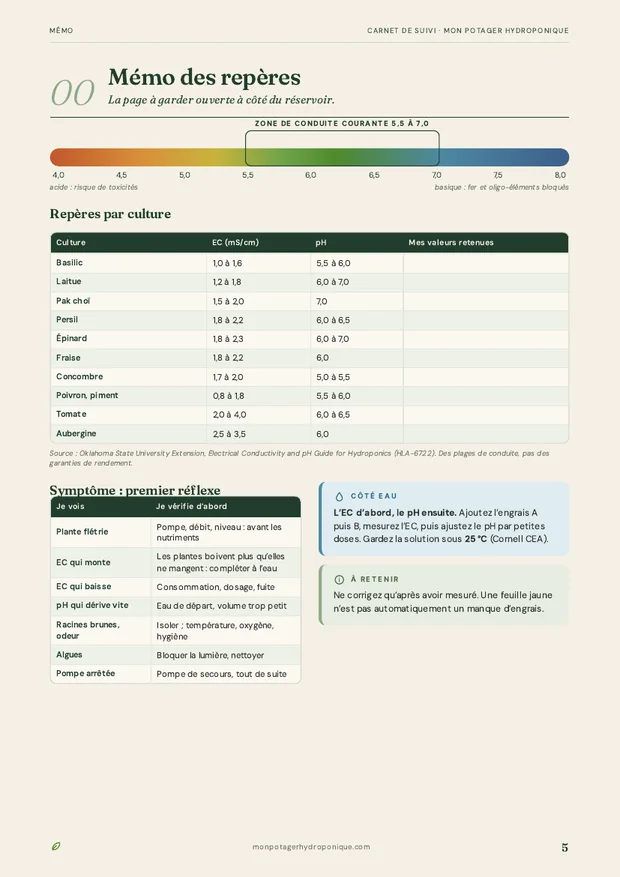
| How to use it and quick reference | The 5 habits, the recording rhythm, pH and EC targets by crop, first checks when a symptom appears |
| Paper and online | How each section matches the online grow log, what it calculates for you, and how to share a season |
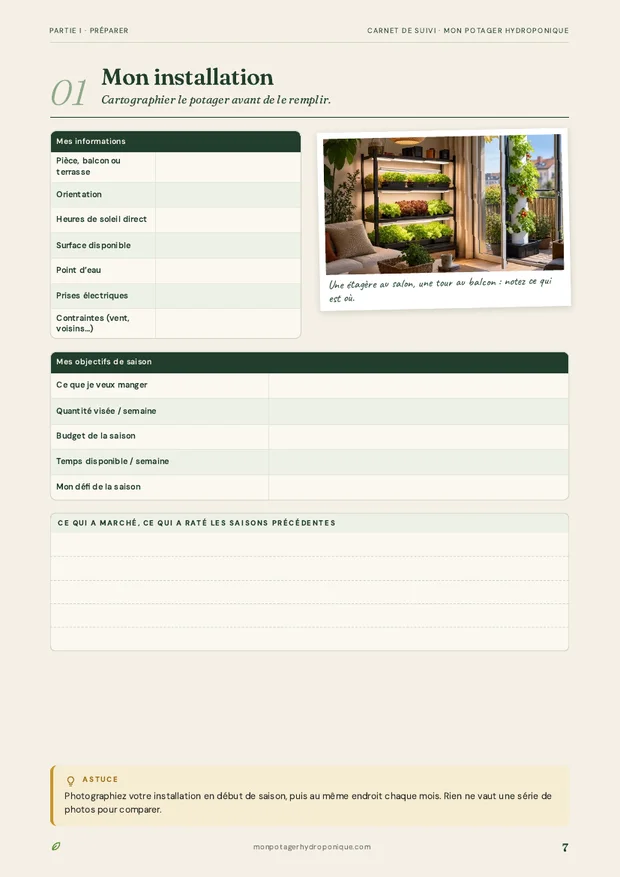
| 01 My setup | Room or balcony, sunlight, surface, goals and plans, a layout to draw |
| 02 My systems | One label per system (A, B, C…), type, sites, working reservoir volume; pumps, lighting and electricity |
| 03 Season calendar | Planned sowings, plantings and harvests, month by month |
| 04 My seeds | Seed packet inventory, source, germination rate |
| 05 My sowings | Dates, media, germination, germination rate to calculate |
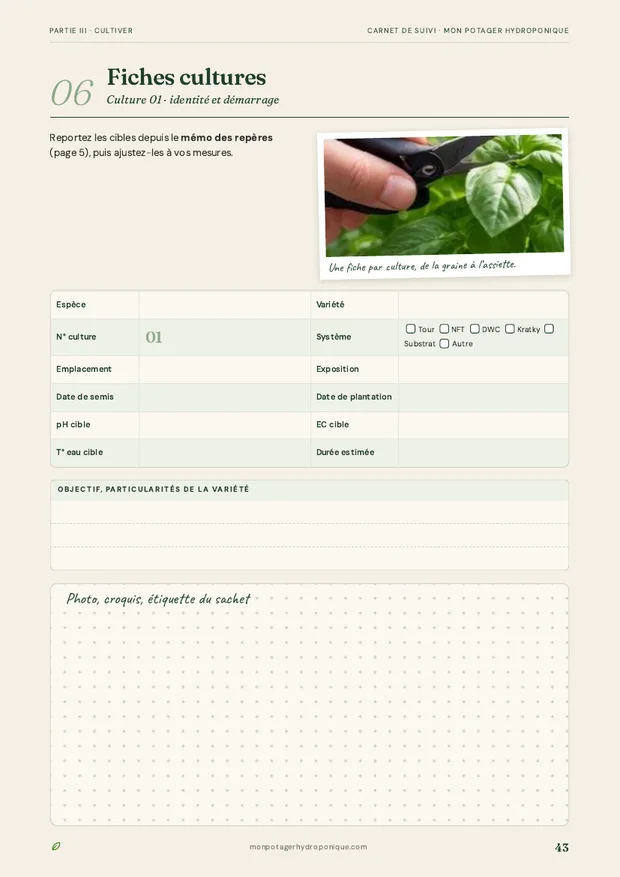
| 06 My plantings | Transplanting, crop sheet, system, pH and EC on the day |
| 07 Crop sheets | Ten two-page sheets: identity, targets, status, tracking, harvests and total, rating, grow again or not |
| 08 Water and nutrients | My source water, pH and EC before and after, additions, solution changes, and two pages to plot pH and EC over 52 weeks |
| 09 Checks | Twelve checklists to tick: level, pump, roots, leaves, pests, and the to-do for the next check |
| 10 Weather | Temperatures, rain, wind, sun, water temperature, notable events |
| 11 Harvests | Weight, unit, star rating, where it went, running total in kilos |
| 12 My equipment | Inventory by category, price, end of warranty |
| 13 Maintenance | Cleaning, calibration, disinfection, repair, cost and next service |
| 14 Supplies and costs | Seeds, nutrients, growing media, electricity: totals and season running total |
| 15 Journal | Dated notes: ideas, failures, trials, questions for the forum |
| 16 Season review | Indicators with their formulas (germination, cost per kilo), figures month by month, successes, varieties to grow again, and the season to share if you wish |


3. How to use it
Starting your log in one evening
- PrintIn full, or only the sections you need. A ring binder lets you add pages during the season.
- Fill in page 2Your setup, your goals, your plans. Five minutes that make you ask yourself the right questions.
- Describe the setupSystems, working volumes of the reservoirs, pumps, and a layout drawn on the dot grid.
- Fill in the calendarWhat you want to sow, and when. See the crop calendar.
- Start a crop guide sheet with each sowingCopy the pH and EC targets from the quick reference, then follow the crop through to the review.
- Write at every checkThe date, the value, the action. Two to three times a week for pH and EC, and one checklist every week.
- Do the reviewAt the end of the season, the indicators and the varieties to grow again. This is the page that prepares the next season.
The log complements the site’s tools: the calculators prepare the measurements, the log keeps them. And the pH and EC or diseases and pests guides help you read what you have recorded.
4. Download it
The grow log is reserved for logged-in members, and free. An account on the site takes one minute, and also gives you access to the forum, the seed swap and your personal notes on each guide.
- Format: PDF, 118 A4 pages, about 6.5 MB.
- Printing: color or black and white, double-sided possible.
- Use: personal. Invite your friends to create their own account instead.
Download the grow log (members)
Not a member yet? Create your free account, then come back to this page. Already a member? Log in.
5. Or fill it in online
The same log is available in your account, in the My log section. Same sections as the PDF, with a few advantages paper does not have:
- The pH and EC chart plots itself with each reading, with the usual working pH range in the background.
- Totals calculate themselves: germination rate, kilos harvested per crop, cost of the season and cost per kilo.
- Everything is linked: a reading to its system, a harvest to its crop guide sheet, a maintenance task to its equipment.
- Values to watch stand out in orange: a pH outside 5.5 to 7.0, water above 25 °C (77 °F).
- One season per year, with your systems, seeds and equipment carried over from one season to the next.
- The same grow log: page 6 of the PDF matches every section, so you can start in pencil and copy it over whenever you like.
- Share a season, if you wish: private by default, visible by link, or public in the members’ grow logs, with the sections of your choice.
- Your data stays yours: private, editable, deletable, and exportable to a spreadsheet, section by section.
Is your log filling up? Show your pages and reviews on the forum: other people’s seasons are the best source of ideas.
Frequently asked questions
Is the grow log free?
Yes, for members. Create a free account on the site, log in, and the download button gives you the complete PDF.
Can I print it in black and white?
Yes. The tables and lines stay readable in black and white. You can also print only the sections you use, and photocopy the form pages.
Can I fill it in on a tablet?
Yes, with an app that lets you write on a PDF. The log was designed for paper, but the boxes and lines can also be filled in with a stylus.
Can I share it with a friend?
The log is for your personal use. The easiest way is to invite your friend to create a free account: they can download it too, and you can swap notes on the forum.
- Oklahoma State University Extension, Electrical Conductivity and pH Guide for Hydroponics (HLA-6722)
- Cornell University CEA, Hydroponic Lettuce Handbook